

Esk St :
Gore :

So you have some great photos on your memory card – now what?
Many people transfer their photos to their PC because it’s the easiest and quickest way, but did you know the average life span of a computer hard drive is only five years? Worse yet, they can fail without warning, making you unable to access your photos. How would that make you feel? Only a very small majority of people regularly back up everything on their PC, so we recommend you store your photos on an external PC device – both for safety reasons and to free up storage room and so speed up your PC.
So let’s look at safer options for storing your precious memories. The most common ways you can store your photos safely, include USB flash drives, CD or DVDs. All these storage devices are great for storing data in a movable, easily accessible form at home or work. They vary in structure, size and capacity, but all physically store your photos on a movable device that is external to your computer. To make it easier for you to work out which device is right for you, here are a few tips.
Flash Drives
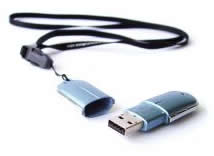 Portable storage devices that plug into the USB port on your computer. They are easy to use, small in size, but capable of storing many images.
A 1GB USB stick will hold more data, images, audio or video information than a CD. A 4GB flash drive will fit approximately 2000+ digital photos.
About as big as your thumb, you can simply plug them into any USB port, so are ideal when travelling. They are also great for plugging into digital photo frames - giving you an ever changing slide show of your photos.
CD Media
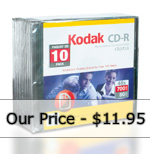 The two most common kinds of CDs are CD-R and CD-RW. CD-R is can be used once to write data to, and be read by almost every computer CD drive or audio CD player.
CD-RW discs allow you to write to the disk more than once, however older computer CD drives and audio CD players cannot read CD-RW media.
When you wish to add more photos to your CD-RW, you need to be very careful as there is a risk you may overwrite the data already on the CD.
Multiple re-writes will also reduce the lifespan of the CD. Therefore we do not recommend that you continue to add to a CD over and over again. Also, if a full CD becomes damaged in any way, you stand to lose hundreds of photos!
DVD Media
DVD+R or DVD-R media both store data permanently in a write once format, with DVD- the more common.
They are ideal for storing thousands of digital photographs or digital video.
DVD-RW discs allow up to 1000 rewrite cycles and hold up to 4.7GB of data.
However the same precautions apply to rewritable DVDs as with CD-RW disks.
Index Prints
 One of the easiest and most efficient ways to keep track of all your CDs or DVDs is to let us create index prints for you.
Designed to save you time and effort, these are a mini print of all the photos on each CD or DVD, making it much easier to track down that special photo.
Even if you choose to burn your own CD/DVDs at home, call in and let us create your index prints for you in just a few minutes.